Rk Technologies — home

Online exam platform

Python Practical Examination System

A complete platform for running Python practical exams online. Students write and run code in the browser, answers are marked automatically against hidden test cases, and staff watch every exam live.
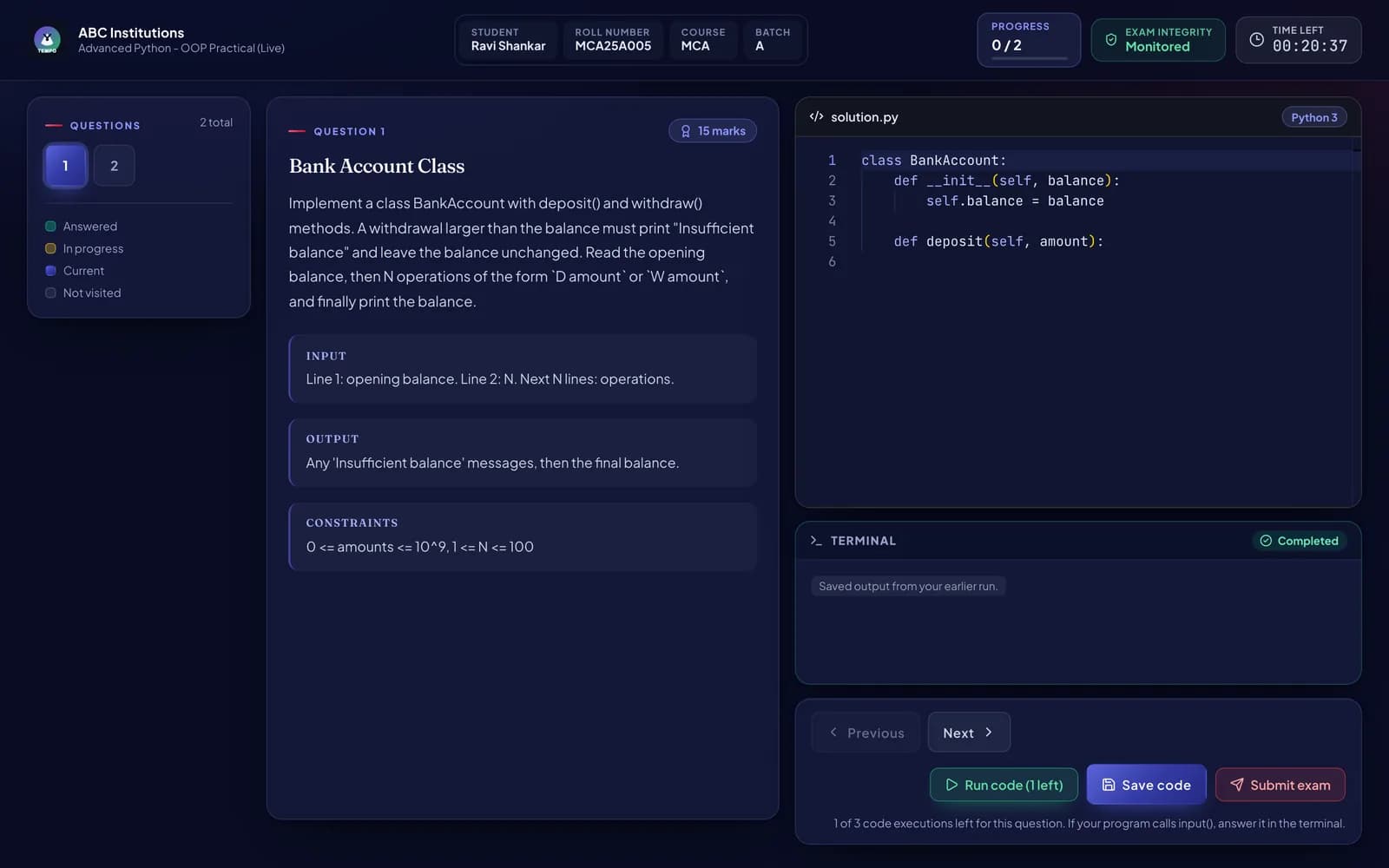
Student exam workspace with the question on the left, a Python code editor, a terminal, a countdown timer and Run, Save and Submit buttons

Real screenshots from the running product. Student names, marks and exams shown are sample data.

  • Students register with roll number, course, batch, session and subject
  • Each student sees only the exams assigned to their course and batch
  • Instructions and rules shown before the timer starts
  • Admin dashboard: live exams, students, attempts, average score and pass rate
  • Live monitoring of every student: time left, progress and integrity events
  • Results and analytics with score distribution and CSV export
  • Per-student result with marks, percentage, pass status and submission details
  • Exam catalogue with draft, active, inactive and completed exams

Overview

Colleges still run Python practicals on lab computers, collect files by hand and check every program one by one. This system moves the whole practical exam online: registration, the coding exam itself, automatic marking, live invigilation and results. It is built, running and ready to be set up for your institution with your own name and logo.

The challenge

Manual practical exams take days to mark, results are inconsistent between examiners, copying is hard to spot, and there is no single record of who wrote what and when.

Our approach

  1. 1

    Students register with their academic details, pick the exam assigned to their batch and read the rules before the timer starts.

  2. 2

    They write code in a professional editor with Python highlighting and autosave, and run it in a built-in terminal that supports input().

  3. 3

    On submission, every answer runs against hidden test cases in an isolated sandbox and is marked automatically.

  4. 4

    Staff follow the exam live, review integrity events, adjust marks with a recorded reason, and export the results.

Key features

  • In-browser Python editor

    Monaco editor (the editor behind VS Code) with syntax highlighting and autosave.

  • Interactive terminal

    Programs that call input() are answered right in the output panel.

  • Automatic marking

    Hidden test cases decide the marks, so every student is checked the same way.

  • Four marking modes

    Test cases, AI rubric (optional), a blend of both, or marking by a teacher.

  • Live invigilation

    See each student's progress, time left and connection status in real time.

  • Exam integrity checks

    Records full-screen exits, tab switches and copy/paste, with auto-submit after a set limit.

  • Safe timer

    The countdown is kept on the server, survives a refresh and auto-submits at zero.

  • Results and analytics

    Pass rate, score distribution, per-question analysis, ranking and CSV export.

Why buy it

Built for institutions that run practical exams.

Who it is for

  • Colleges and universities running BCA, MCA, B.Sc IT or similar courses
  • Schools teaching Python in senior classes
  • Coaching and training institutes that test programming skills
  • Departments that want practical exams marked the same way for every student
  • Results in minutes, not days

    Answers are marked automatically the moment students submit, so teachers stop checking programs one by one.

  • Fair and consistent marking

    Every student's code runs against the same hidden test cases, and every manual change is recorded with a reason.

  • Fewer paper and file problems

    No USB drives, no missing files and no handwritten mark sheets. Every answer is saved with a time stamp.

  • Your institution's brand

    Set your college name and logo, and run it on your own server or domain.

What's inside

Everything needed to run an exam, from registration to results.

  • 01

    Student portal

    • Registration by name, roll number, course, batch, session and subject
    • Exam list filtered to the student's own course and batch
    • Instructions and rules screen before the exam starts
    • Code editor, terminal, question navigator and progress tracker
    • Limited code runs per question, enforced by the server
    • Manual submit, plus automatic submit when time runs out
  • 02

    Admin panel

    • Dashboard with live exam status and key numbers
    • Create exams, questions, marks and hidden test cases
    • Courses, batches, sessions and subjects setup
    • Student directory with search, archive, restore and CSV export
    • Results, per-student breakdown, mark overrides with reasons
    • College name and logo settings
  • 03

    Monitoring and integrity

    • Live view of every student taking an exam
    • Full-screen exit, tab switch and copy/paste detection
    • Configurable violation limit with automatic submission
    • Activity timeline for every attempt
  • 04

    Security and operations

    • Student code runs in a throwaway container with no network access
    • Admin login with hashed passwords, JWT sessions and rate limiting
    • Audit trail of logins, edits, manual marks and overrides
    • One-click database backups, health checks and Docker deployment

Before you buy

What you get, and what it doesn't do.

We'd rather you know the limits up front than find them after launch.

What you get

  • Complete source code: student portal, admin panel and backend API
  • Installation on your server or cloud with Docker
  • Branding with your institution's name and logo
  • Setup of your courses, batches, sessions and subjects
  • Admin training and a deployment, backup and recovery guide
  • Support period after launch (agreed in your quote)

What it is not

  • It is built for Python. Other languages (C, Java and so on) would be a custom extension.
  • It is a web app, not a mobile app. Students take exams on a computer in a browser.
  • Integrity checks work inside the browser only. They cannot detect a second device or a phone, so a human invigilator is still recommended.
  • Integrity events are signals for review, not proof of cheating.
  • AI marking is optional and off by default. It needs your own AI provider account, which is billed by that provider.
  • It is not a full college ERP. It does not handle fees, attendance or timetables.
  • Hosting, domain and server costs are separate from the software.

What you need to run it

  • A Linux server or cloud VM with Docker (size depends on how many students write at once)
  • MySQL 8, included in the Docker setup
  • Computers with an up-to-date browser such as Chrome or Edge for students
  • A stable network in the exam lab
Request a live demo

More work

All projects
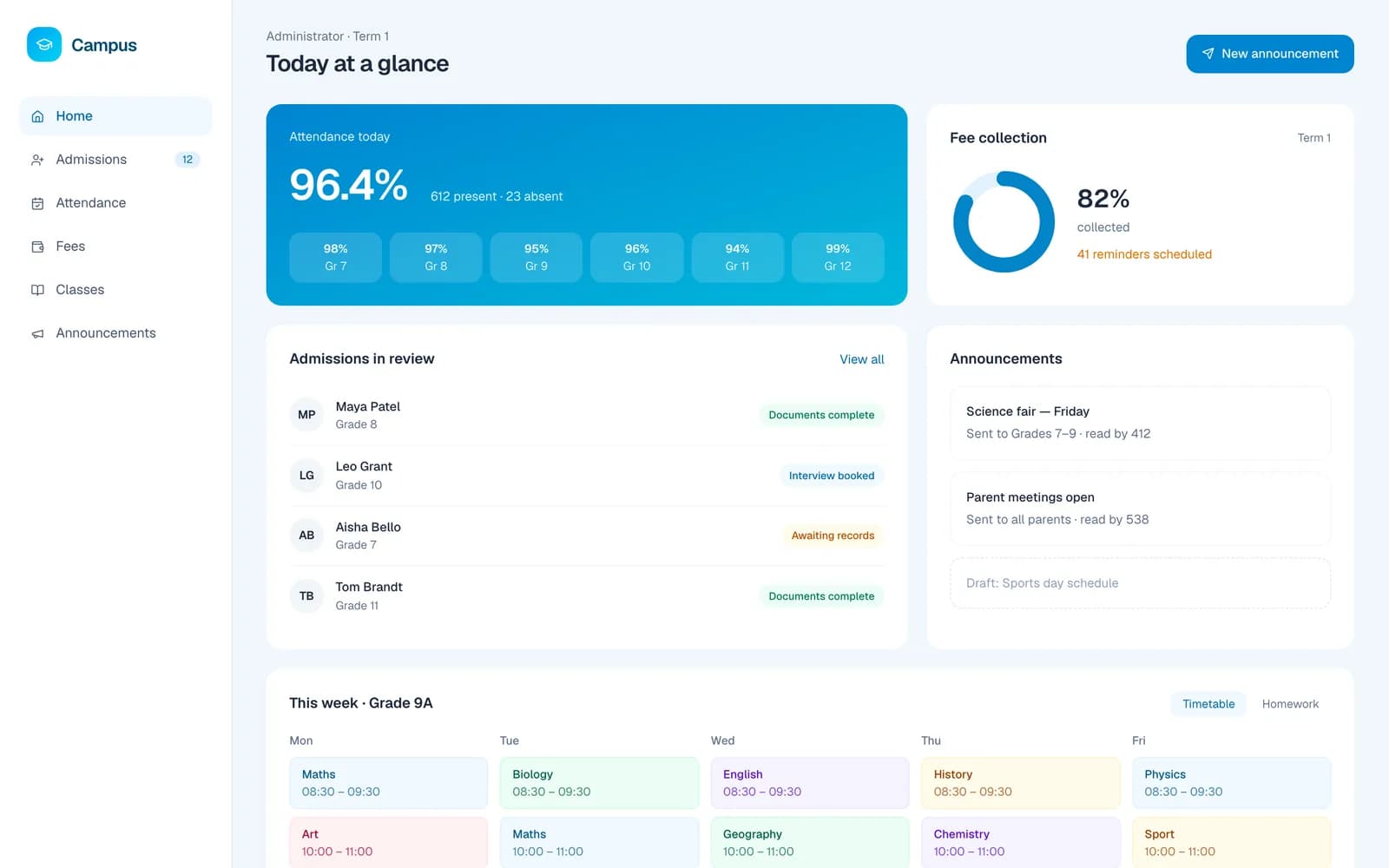
  • Campus school portal showing attendance, fee collection, admissions in review and a weekly timetable
    Demo project

    Education portal

    Campus

    A concept school management portal for admissions, attendance, fees and parent communication.

    • React
    • TypeScript
    • NestJS
    • PostgreSQL
    • Redis
  • Atelier online store homepage with an autumn collection banner and a grid of homeware products
    Demo project

    E-commerce website

    Atelier

    A concept online store for an independent homeware brand, built around product storytelling and a short checkout.
    • Next.js
    • TypeScript
    • Tailwind CSS
    • NestJS
    • PostgreSQL
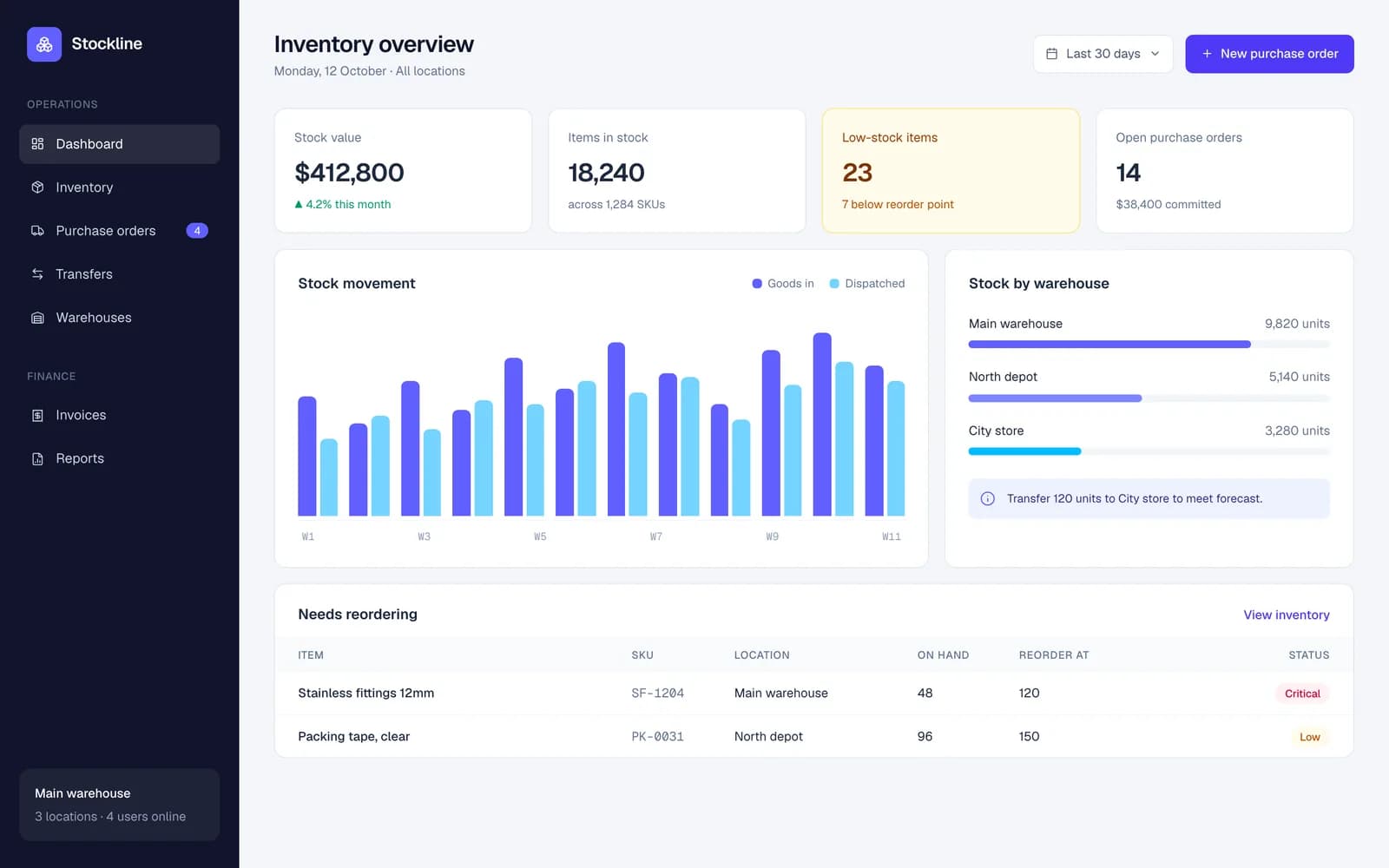
  • Stockline ERP dashboard with stock value, low-stock alerts, a stock movement chart and items to reorder
    Demo project

    ERP dashboard

    Stockline

    A multi-warehouse inventory and purchasing system concept for a growing wholesale distributor.

    • React
    • TypeScript
    • NestJS
    • PostgreSQL
    • Redis

Have an idea? Let's build it together.

Tell us what you're planning. We'll get back to you to arrange a free, no-obligation discovery conversation. We aim to reply within one business day.

  1. Share your idea

    A few details about your goals

    01
  2. Discovery call

    Free and no obligation

    02
  3. Clear proposal

    Scope, timeline and price

    03